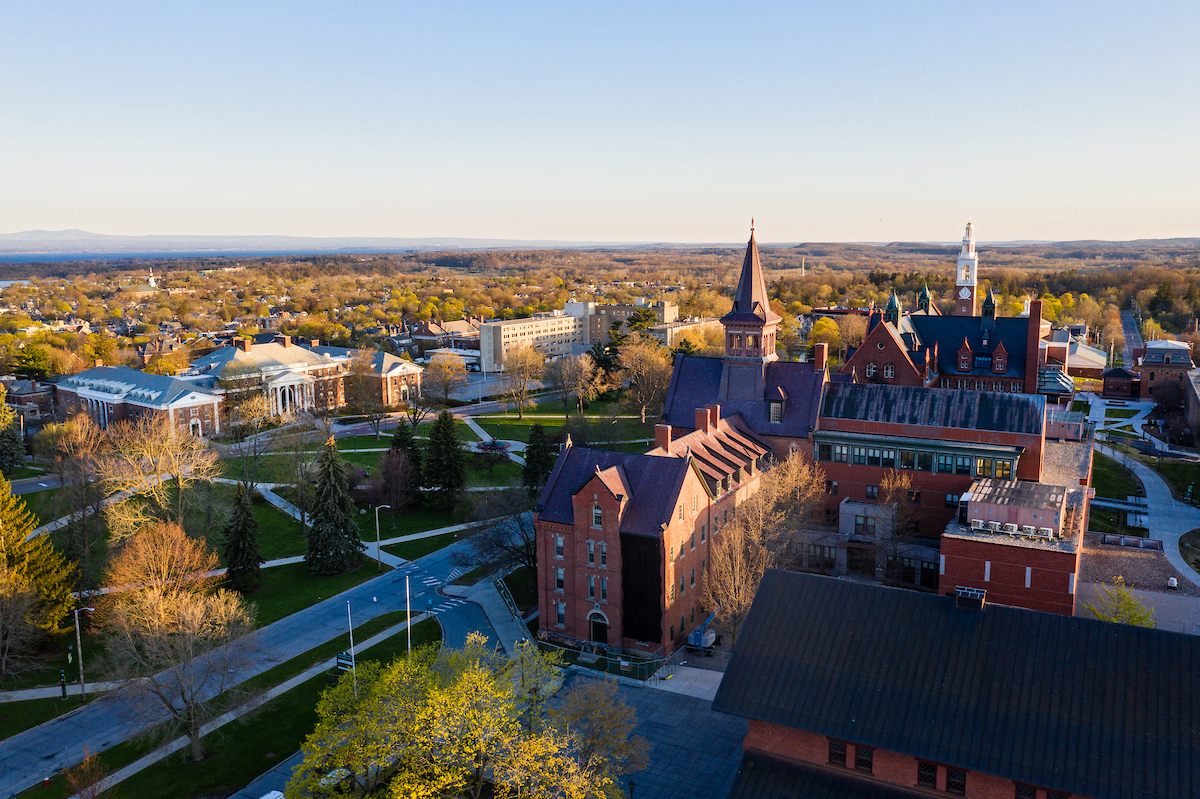
University of Vermont campus

Vermont Research Open Source Program Office

Research that moves
the world forward.

ORCA (Open Research Community Accelerator) student internship program connects University of Vermont students with faculty, graduate researchers, and community partners to build open source tools with real-world impact.

4–5 students per Pod
237 VT towns mapped by student teams
MIT open source licensed
NSF & Sloan Foundation supported

Turning research into open tools for everyone.

The Open Research Community Accelerator (ORCA) is a student initiative housed within UVM's Vermont Research Open Source Program Office (VERSO). We bridge the gap between academic research and real-world impact through open projects with social significance.

Student teams — called Pods — partner with faculty, graduate students, and community organizations to translate research findings into publicly accessible, open source tools. Members gain hands-on experience with industry-standard engineering practices while creating products that matter.

UVM Howe Library interior — collaborative workspace

Industry practices. Academic rigor. Community impact.

ORCA teams operate like real open source engineering teams — with structured sprints, transparent collaboration, and a focus on shipping software that solves real problems.

01

Form a Pod

You join a team of 4–5 students — including a Team Lead, members, and optional Business or Community Leads — to tackle a specific research challenge alongside a faculty sponsor.

02

Sprint & Build

Using Agile-inspired two-week sprints, you plan tasks collaboratively, hold brief stand-ups, and iterate openly. Every decision is transparent to the whole team and sponsor.

03

Demo & Reflect

At the end of each sprint, teams record demonstrations of completed work for sponsors. Rather than traditional grades, you're evaluated on stakeholder feedback and personal growth goals you set yourself.

04

Ship Open Source

Everything you build is publicly released under open source licenses. Your work lives on GitHub, cited in research, and used by communities — long after the semester ends.

Built by students. Used by communities.

Open source tools created by ORCA Pods — each addressing a real challenge identified by researchers, community partners, or state agencies.

Vermont landscape
Geospatial · Housing

Vermont Zoning Atlas

A statewide zoning visualization covering all 237 Vermont towns — making complex zoning regulations accessible to planners, advocates, and the public to identify barriers to affordable housing and climate resilience.

Partners: Regional Planning Commissions, VT State Agencies
Vermont campus building
Infrastructure · Environment

Wastewater Infrastructure Mapping

A comprehensive town-level dataset of Vermont wastewater resources, supporting housing development and economic sustainability by identifying infrastructure gaps aligned with the Vermont Climate Action Plan.

Partners: Windham Regional Commission, Town of Jericho, VCGI
UVM Old Mill building
NLP · Audio · Research

Heard & Understood App

An AI-powered tool for exploring and classifying silences and conversational gaps using Random Forests, CNNs, Whisper transcriptions, and BERT models — in partnership with the Vermont Conversation Lab.

Partner: Vermont Conversation Lab
UVM campus architecture
Research Tools · Social Science

Interactive Management App

An open source tool for Interpretive Structural Modeling that creates flow diagrams helping groups solve collective problems — applied in research on thriving in open source communities.

Lead: John Meluso
Students collaborating
Education · Open Source

Open Resource Library

An open source toolkit helping students and researchers get started with open source software development — covering licensing, version control, community governance, and documentation.

openresourcelibrary.com
Vermont community
GIS · Emergency Management

VRWA Mutual Aid Map

A static web map for emergency water and wastewater resources across Vermont, New Hampshire, and New York — supporting mutual aid coordination during infrastructure crises.

Partner: Vermont Rural Water Association
Geospatial · Policy

Vermont Livability Map

An exploratory data visualization combining zoning, wastewater, and flood-risk datasets to help policymakers, planners, and community members understand the factors shaping Vermont's livability and sustainable growth.

Built with Vue 3 + Vite
Education · Open Science

Open Science 101

A community-driven continuation of NASA's Transform-to-Open-Science curriculum, rewritten and expanded by VERSO. Five modules equip researchers, students, and citizen scientists with open science knowledge and data management skills.

Based on NASA TOPS · MIT License
Game · Storytelling · Community

Threadbare

A story-driven, collaborative open source game where players don't just explore a world — they co-create it. Players recover knowledge, craft stories, and design characters and quests drawn from their own lives and communities.

GDScript · Mozilla Public License 2.0
Infrastructure · Workforce

VRWA Certification Platform

A modern, secure system replacing VRWA's legacy Access database — automating course registration syncing, operator portal access for training records and certificates, and administrative tools for attendance tracking and regulatory compliance.

TypeScript · Partner: Vermont Rural Water Association
Civic Tech · Alerts

BTV Alerts

A civic technology project providing real-time alerts and notifications for Burlington, Vermont — connecting residents with timely local information to support community awareness and safety.

Partner: City of Burlington

Five principles that guide every Pod.

I

Create Raving Fans

Exceeding sponsor expectations generates referrals, trust, and lasting program growth. Good enough isn't the goal.

II

Share Early

Validating ideas with teammates before diving in prevents misunderstanding and saves time. Share rough drafts, not polished products.

III

Iterate in the Open

Changes happen transparently. Everyone on the team and every stakeholder knows what's changing and why — no surprises.

IV

Be Curious, Not Judgmental

Collaborative problem-solving elevates everyone. Approach challenges with questions, not conclusions.

V

Collective Progress

Teaching others to solve problems builds a more resilient team and a more impactful program than going it alone.

What the internship actually looks like.

ORCA isn't a class with readings and exams. It's a real internship — with real deadlines, real stakeholders, and real software shipped publicly. Here's what a typical semester looks like from the inside.

Working inside a Pod

You'll join a Pod of 4–5 students — a tight team with a mix of skills — working on a specific project for a faculty member, community organization, or state agency. Pods operate like small, self-directed startup teams: you make decisions together, divide up work based on strengths, and hold each other accountable. Unlike a traditional class project, the people using your output are real, and they're counting on you.

Multiple Pods run simultaneously across ORCA each semester, each on different projects. Teams share a co-working space, cross-pollinate ideas, and support each other — so you're never siloed, even if your Sprint work is focused.

Agile in practice

ORCA uses an Agile-inspired sprint model. Every two weeks your team plans a sprint: you look at the backlog, talk through priorities with your sponsor, and each member commits to a concrete set of tasks. Brief daily or weekly stand-ups keep everyone aligned and surface blockers early. At the end of each sprint you record a short demo showing what you actually shipped — not slides, not a status update, but working software or data.

This rhythm teaches you to scope work realistically, communicate progress continuously, and ship incrementally rather than in one big push at the end of the semester.

Partnering with stakeholders

Your project sponsor — a researcher, planner, nonprofit, or state agency — isn't a passive client. They attend Sprint Reviews, give direct feedback on your demos, and help you understand the real-world constraints your tool has to work within. You'll practice translating technical choices into plain language, managing expectations, and presenting work to people who care deeply about the outcome without caring much about the code.

This stakeholder dynamic is one of the most valuable parts of the experience. Learning to build software with someone, not just for them, is a skill most engineers don't develop until years into their careers.

Rapid prototyping & human-centered design

ORCA projects are built for people — not for benchmarks or portfolios. That means you start by understanding who will use the tool and what problem they're actually trying to solve, then prototype quickly, test with real users, and iterate. UX Design Specialists lead wire-framing and usability testing; developers build to those specs; data specialists shape what the interface shows and why. Everyone participates in understanding the user.

The goal isn't perfection on the first try — it's learning what works, fast, so you can make it better. You'll ship things you're proud of and things you'd do differently. Both are part of the training.

Two-week sprints

Plan, build, demo, reflect — then repeat. The sprint cycle keeps work tangible and momentum high.

Stand-ups & async updates

Short check-ins surface blockers before they become problems. Everyone knows what everyone else is working on.

Live sponsor reviews

Stakeholders attend Sprint Reviews and give direct feedback — building your ability to communicate work to non-technical audiences.

GitHub-first workflow

Issues, pull requests, code review, and project boards — the same tools used in professional open source development.

Wireframes & prototypes

UX-first thinking means you design before you build, test before you ship, and validate assumptions early.

Self-directed evaluation

You set your own growth goals at the semester's start and assess your progress at the end — with stakeholder feedback as a guide.

Find where you fit.

ORCA offers five distinct internship positions. All roles require current UVM student status and a willingness to apply technology to real research and community problems.

Team Lead

Guides a small intern team while contributing directly to open source development. Coordinates with project sponsors on goals and progress, researches relevant technologies, and provides technical mentorship throughout the semester.

Python / JS / Java GitHub Agile Leadership

Software Developer

Writes clean, well-documented code and contributes new features within an Agile team. Works through Git and pull requests, maintains documentation, participates in sprint planning and reviews, and debugs and optimizes shared codebases.

Programming languages Git / GitHub HTML / CSS / JS Documentation

Geospatial Analyst

Creates and analyzes location-based datasets for research and community projects. Works with ArcGIS, QGIS, and Python geospatial libraries to build maps, generate metadata, and document workflows for partners and the public.

ArcGIS / QGIS Python / R / SQL GeoPandas Data documentation

Data Specialist

Analyzes large datasets, identifies trends, and builds visualizations and interactive dashboards that make findings accessible to stakeholders. Documents methodologies, supports cross-functional problem-solving, and ensures data quality throughout the project lifecycle.

Python / R / SQL Data visualization Dashboards Statistical analysis

UX Design Specialist

Leads user research, gathers requirements through stakeholder meetings, and designs wireframes, prototypes, and mockups from low to high fidelity. Conducts usability testing, creates design systems and style guides, and ensures accessibility standards are met throughout the build.

Figma / Miro User research Prototyping Accessibility

Active teams this semester.

Each Pod is named after a Vermont ski mountain. Five teams are currently running in parallel, each focused on a distinct problem domain.

Prototyping & Rapid Development

Sugarbush Pod

Current projects

  • VRWA Certification App
  • City of Burlington Alert App
  • Additional rapid prototyping as needed

Members

Henrik Van Tassell Rustum Zia Sadie Ellwood Violet Vorus
Data Science & Visualization

Okemo Pod

Current projects

  • Vermont Livability Map
  • Data analysis tooling
  • Reporting and data storage infrastructure

Members

Ian Sargent (Lead) Isaac Wedaman Paige Dube
Geospatial Datasets

Bolton Pod

Current projects

  • Vermont Zoning Atlas
  • Wastewater Infrastructure Map
  • Drinking Water Service Area mapping

Members

Gabe Christiansen (Lead) Joey Donohue Louise Vaillancourt Robert Jones-Perpich
Software & Sustainability

Killington Pod

Current projects

  • BRIC / Endless Vermont Cup
  • Heard & Understood App (Dartmouth pilot)
  • Community engagement pathways

Members

Felix Walberg (Lead) Isabelle Kriz Julien Chabert Shade Rothkopf
AI Innovation

Mad River Pod

Current projects

  • To be announced

Members

To be announced

What you can learn and do at ORCA.

Every ORCA Skills task, from getting started to leading a Pod, each with its own link. You can take them on whenever your work calls for them: choose what fits you now to see your tasks in order.

How to finish a task

When you finish a task, send it with the reflection form, a UVM Qualtrics survey. Sign in with your NetID, choose the task from the list, and answer three questions:

  • What I did
  • What I learned
  • One question, or one thing I'd change

Some tasks ask for one more thing, such as your ORCiD or a pull request link; the form asks for it when you choose that task. Admin tasks only need "done". Only ORCA staff see your answers. Never put ID documents, bank details or passwords in the form.

Getting started

Admin steps to finish before your first day.

ADM-01 Join the VERSO-UVM GitHub organization About 15 minNew students

Why it matters

ORCA's projects, issues and onboarding all live on GitHub, in the VERSO-UVM organization. You need to be a member to work on them.

Steps

  1. If you don't have one yet, create a GitHub account with a unique username.
  2. Send your username to the VERSO Director, who will invite you to the VERSO-UVM organization.
  3. Accept the invitation on GitHub's Your organizations page.

How to finish

Send "done" for ADM-01 with the reflection form. Admin tasks need no reflection.

ADM-02 Complete your I-9 About 30 minNew students

Why it matters

UVM can't pay you until your I-9 is on record. Doing it early avoids delays and keeps UVM in line with federal rules.

Steps

  1. Email UVM Human Resource Services at hrinfo@uvm.edu to check whether you already have an I-9 on record.
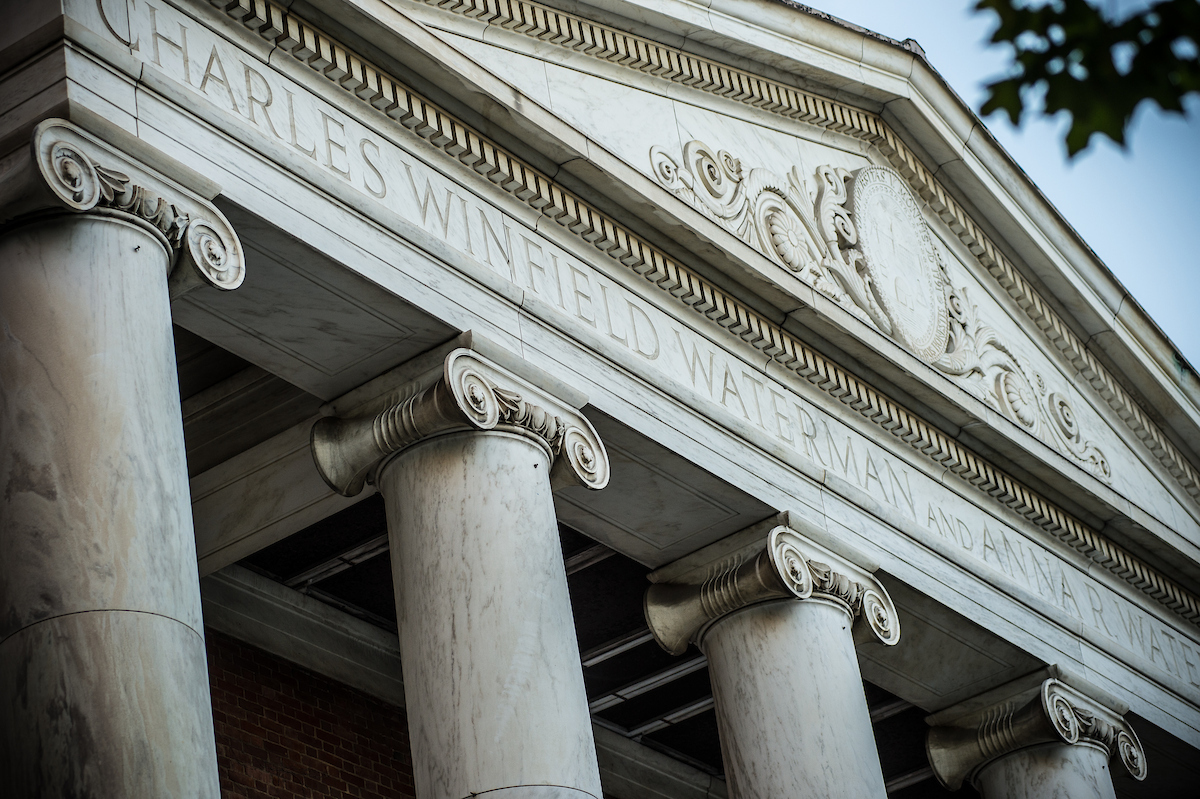
  2. If you don't, go to the HR office in room 228 of the Waterman Building to fill one out. It is quick.
  3. Bring an acceptable form of ID.

How to finish

Send "done" for ADM-02 with the reflection form. Never put your ID, documents or other personal details in the form.

ADM-03 Set up PeopleSoft and direct deposit About 15 minNew students

Why it matters

PeopleSoft is where you get paid and where you enter your hours.

Steps

  1. Go to myUVM and select the PeopleSoft icon in the top right corner.
  2. Set up your account.
  3. Link your bank account under Payroll and Tax > Direct Deposit so you can get paid.

How to finish

Send "done" for ADM-03 with the reflection form. Never put bank or account details in the form.

ADM-04 Enter your time every week About 5 minNew and returning

Why it matters

You are paid for the hours you enter. Missed entries mean late pay.

Steps

  1. Enter your time in PeopleSoft under UVM Time Entry > Enter Time after every shift, or at least once a week.
  2. Set a weekly reminder on your phone for the end of the week, so you never miss one.
  3. If you lead a Pod, remind your team to do the same each week.

Returning students: just confirm your time entry still works.

How to finish

Once your reminder is set, send "done" for ADM-04 with the reflection form.

Everyone

Policies, AI use, open science and goals.

CORE-01 Review the ORCA Handbook and Code of Conduct About 1 hNew and returning

Why it matters

As in any job, you need to know the policies and expectations of your role. The wiki holds the details, and we expect you to follow them. Ask if anything is unclear.

Returning students: read both again, since they change between semesters.

Steps

  1. Read the ORCA wiki.
  2. Read the Code of Conduct.

How to finish

Send your reflection with the reflection form, and add your initials and the date to affirm that you have reviewed both.

CORE-03 Using AI on ORCA projects About 45 minNew and returning

Why it matters

ORCA expects you to use AI tools to build, and to stay the person who owns every decision. The goal is not writing lots of prompts. It is judging what comes back: knowing how a solution must change to fit the project, debugging code that fails in ways you didn't write, and seeing why some output shouldn't ship even when it runs.

Some of you would rather build your core coding skills without AI, and that has a place too. Talk with your Pod lead about where on your project you can do that.

The rules

Use UVM's tools for project work.

  • Start with the tools UVM provides: Microsoft Copilot with your NetID, and Claude through UVM's license, which ORCA students can request as student employees (see AI-01).
  • Microsoft Copilot and GitHub Copilot are different tools. Microsoft Copilot is the chat assistant you sign in to with your NetID, and UVM approves it. GitHub Copilot is the coding assistant inside GitHub and code editors, and it is not on UVM's approved list. Use GitHub Copilot only with public code and public data.
  • Other tools without a UVM license, such as Cursor or a personal ChatGPT or Claude account, are also for public data only. Check UVM's approved AI tools.
  • Never paste restricted or sensitive data into any AI tool, even a UVM-licensed one, until you have checked its data level in CORE-04 and asked your Pod lead.
  • No ORCA work will require a paid tool you buy yourself.

Know what you commit.

  • You are responsible for every line you commit, whether you wrote it, copied it, or an AI wrote it.
  • If you couldn't explain it or maintain it yourself, don't commit it. A good test: can you write a useful comment for it?
  • In review, you must be able to explain every significant piece of code. If you can't explain it, it doesn't ship.

Know when not to use it.

  • Don't use AI-generated code for sensitive data handling, security-critical paths, or anything where explainability is a legal or ethical requirement.
  • If it takes several attempts to get the AI to do what you want, do it yourself. Coaching a tool can quickly cost more time than it saves.
  • Comments and documentation: AI may draft them, but rewrite the draft until it says what your reader actually needs. Only you know the context, the reasons behind a choice, and who will read it.

Where it helps most: boilerplate and test data, repetitive tests (which you still review), and getting unstuck on a problem, as long as you understand the answer.

Steps

  1. Read the rules above.
  2. Read section 3, "AI-augmented implementation", of The Future of ORCA.
  3. Read UVM's approved AI tools page.

How to finish

Send your reflection with the reflection form. Under "What I learned", name one kind of work on your project where you would not use AI, and why. Add your initials and the date to affirm that you will follow these rules.

CORE-05 Create your ORCiD About 15 minNew students

Why it matters

An ORCiD (Open Researcher and Contributor ID) tracks your contributions to academic work. It connects your work without depending on your name, which can change over time. We use ORCiDs to credit your work where it fits.

Steps

  1. Go to orcid.org/register.
  2. Register with your UVM email address and create a password.
  3. Enter your name, country and affiliation.
  4. Set your security preferences, including a recovery email.
  5. Agree to the terms and conditions.
  6. Verify your email address with the link ORCID sends you.

How to finish

Send your reflection with the reflection form, and include your ORCiD.

CORE-06 Open Science 101, Module 1 About 2 hNew students

Why it matters

Transform to Open Science (TOPS) was part of NASA's Open-Source Science Initiative, a long-term commitment to a scientific culture ready for 21st-century challenges. ORCA used its Open Science 101 course for onboarding until it was taken down in 2025.

This is where open source matters. The course was released under an open Creative Commons license, and we had forked it. So we gave it new life: we took the original materials, extended them, and repurposed them for ORCA.

Steps

  1. Go to Open Science 101.
  2. Work through Module 1.
  3. Complete the 5 activities in Module 1.

How to finish

Send your reflection with the reflection form, and paste your answers to the 5 activities into it.

CORE-07 Introduction to open source licensing About 1 hNew students

Why it matters

Everything ORCA builds is released as open source, so you need to know what a license allows and requires. This short course covers the essentials of open source software licensing for research and education.

Steps

  1. Read all three lessons of OSS Licensing. It takes about an hour.

How to finish

Send your reflection with the reflection form.

CORE-08 Turing Way project design About 45 minNew students

Why it matters

Designing a team project means thinking about the skills it needs and how to get them, along with its timeline, budget, risks, expectations and project management. The Turing Way's case studies cover small, mid-size and large projects, both short and long term.

Steps

  1. Read the Project Design section of The Turing Way.

How to finish

Send your reflection with the reflection form.

CORE-09 Your first pull request: Open Resource Library About 1 h 30 minNew students

Why it matters

The Open Resource Library is ORCA's community resource for understanding open source software and open practices. As a community project, it needs your input, and improving it is a low-stakes way to make your first pull request.

Steps

  1. Review the Tools section, and make sure you know the tools that matter for your role.
  2. Review the rest of the site.
  3. In the repository, fix a typo, add context, or update the content of one page.
  4. Open a pull request with your change.

How to finish

Send your reflection with the reflection form, with a link to your pull request. The task is done once the pull request is accepted.

GitHub skills

Skip any course you already know.

GIT-01 First Day on GitHub About 2 hNew studentsSkip if you know it

Why it matters

ORCA uses Git and GitHub for project management, data storage and code. These are GitHub's own training courses.

You may already know this. Skip any course you can already do.

Steps

Complete the First day on GitHub courses:

How to finish

Send your reflection with the reflection form, and say which courses you skipped because you already knew them.

GIT-02 First Week on GitHub About 4 hNew studentsSkip if you know it

Why it matters

These courses take your GitHub skills further: reviewing, resolving conflicts and working with releases, which you will do on every project.

You may already know this. Skip any course you can already do.

Steps

Complete the First week on GitHub courses:

How to finish

Send your reflection with the reflection form, and say which courses you skipped because you already knew them.

GIT-03 Get GitHub Education About 20 minNew studentsSkip if you know it

Why it matters

As a verified student, GitHub gives you more for free: free use of GitHub Codespaces (up to 180 core hours a month on your personal account), GitHub Copilot, and offers on industry tools in the Student Developer Pack. See GitHub Education for students.

Approval isn't instant, so apply in your first week. If you are already verified, skip this task.

About Copilot: GitHub Copilot is not on UVM's approved AI tools list. Use it only with public code and public data (see CORE-03).

Steps

  1. Add your UVM email address to your GitHub account and verify it (Settings > Emails).
  2. Have proof that you are enrolled ready, such as a photo of your UVM ID with a current date, your class schedule, or an enrollment verification letter.
  3. Go to your Education benefits settings and select Start an application.
  4. Complete the form and submit it.
  5. Once you are approved, open the GitHub Education portal to claim your benefits.

The full steps are in GitHub's guide, Apply to GitHub Education as a student.

How to finish

Once you are approved, send "done" for GIT-03 with the reflection form. Your proof of enrollment goes only to GitHub. Never put it in the form.

Pod leads

For students leading a Pod.

LEAD-01 Lead readings, weeks 1 to 4 About 3 h 40 minNew and returningPod leads

Why it matters

Leading a Pod is about trust, safety and how teams work, as much as code. These readings and talks are the shared grounding for every ORCA lead. Returning students do this only the first time they lead.

Steps

Each week, read or listen to that week's pieces.

Week 1

Week 2

Week 3

  • NUMMI, This American Life (55 min 30 s). In 1984 General Motors and Toyota opened a joint factory, and Toyota showed GM the secrets of its production system. Why couldn't GM learn from it?

Week 4

How to finish

By 3pm each Friday, send a paragraph about that week's pieces with the reflection form: what you found insightful, and what you disagreed with. Choose LEAD-01 and the week.

LEAD-02 Run your first sprint planning and review About 4 hNew and returningPod leads

Why it matters

ORCA Pods work in sprints. Running the first few planning meetings and reviews early, even with little to show, gets your team used to the rhythm.

Steps

Week 2 (sprint 1)

  1. Hold your first sprint planning meeting and sprint review. There won't be much to show at the review, but it helps the team get a feel for the process.
  2. Hold your first coworking time to bring the team together in person. If you'd like to order food, tell the VERSO Director, who can help arrange it.
  3. Check the repository's Insights to make sure everyone has committed a change and knows how to add to the project.

Week 3 (sprint 2)

  1. Hold your second sprint planning meeting.

Week 4 (sprint 2)

  1. Hold your second demo review.

How to finish

Send your reflection with the reflection form after the week 4 demo review.

LEAD-03 Activities for new leads About 2 hNew and returningPod leads

Why it matters

These six activities, spread over the project lifecycle, help you settle into leading a team.

Steps

  1. Meet your team. Learn their strengths and weaknesses, what motivates them, and what they need to succeed.
  2. Set goals with your team. Make them clear, measurable and achievable.
  3. Plan how to reach them, with a timeline and a list of tasks.
  4. Delegate based on strengths, with clear instructions and deadlines.
  5. Watch progress and give feedback, so everyone stays on track.
  6. Celebrate your team's successes. It keeps people motivated and engaged.

How to finish

Send your reflection with the reflection form once you have done the first four.

UVM Central Campus
"Bridges the gap between academic research and real-world impact through open projects with social significance."

Ready to build something that matters?

ORCA accepts UVM undergraduate students each semester. Members can participate for course credit, as paid student employees, or as volunteers. No specific major is required — we welcome engineers, designers, communicators, and researchers.

Recruitment typically opens at the start of each semester. Check the VERSO website or reach out through the program office to learn about current openings.